Is Krisp Worth It for Freelancers in 2026?

Krisp combines live noise cancellation with transcription, recordings, and AI notes. For freelancers who spend a lot of time in virtual meetings, that can save time and reduce stress. This guide compares Krisp's pricing, free trial, Zoom setup, and alternatives so you can decide whether it deserves a place in your productivity stack.
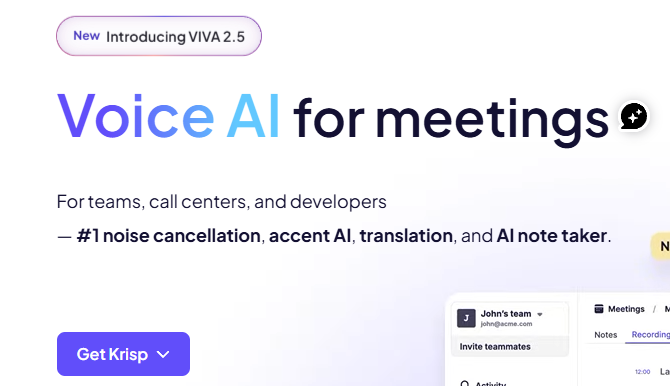
Try Krisp free for 7 days, no credit card required
Is Krisp worth it for freelancers in 2026?
Krisp is worth a test if you take calls from noisy places and also want meeting notes. If your room is quiet and you rarely need transcripts, start with the audio settings in your meeting app. Krisp makes the most sense when both sound cleanup and follow-up solve real problems.
Start by identifying the problem you want to solve. Is a client struggling to hear you over background noise at home? Are you struggling to hear them? Or does every discovery call leave you rebuilding the brief from rough notes?
Krisp addresses these needs with different features. Microphone noise cancellation cleans up your outgoing audio. Speaker noise cancellation reduces noise from the other side of the call. The AI Meeting Assistant handles transcripts and summaries. These are separate benefits, so evaluate each one on its own rather than assuming you need the full bundle.
Consider these situations when you build your shortlist:
- Shared home workspace: Test whether household noise becomes less distracting without making your voice sound unnatural.
- Client interviews and discovery calls: See whether a transcript saves you from rebuilding the conversation from memory.
- Frequent remote calls: Compare cleaning up incoming audio with asking participants to improve their own setup.
- Occasional meetings in a quiet room: Use the tools you already have before adding another subscription.
The key question is not whether Krisp has enough features. It is whether those features solve a real problem often enough to justify the cost. If you are still deciding how to price your own work, our guide to freelance AI consultant hourly rates in 2026 covers what to charge, which helps you judge whether a monthly tool fee is worth it.
See if Krisp fits your calls with a free 7-day trial
Krisp pricing: compare the total, not just the monthly rate
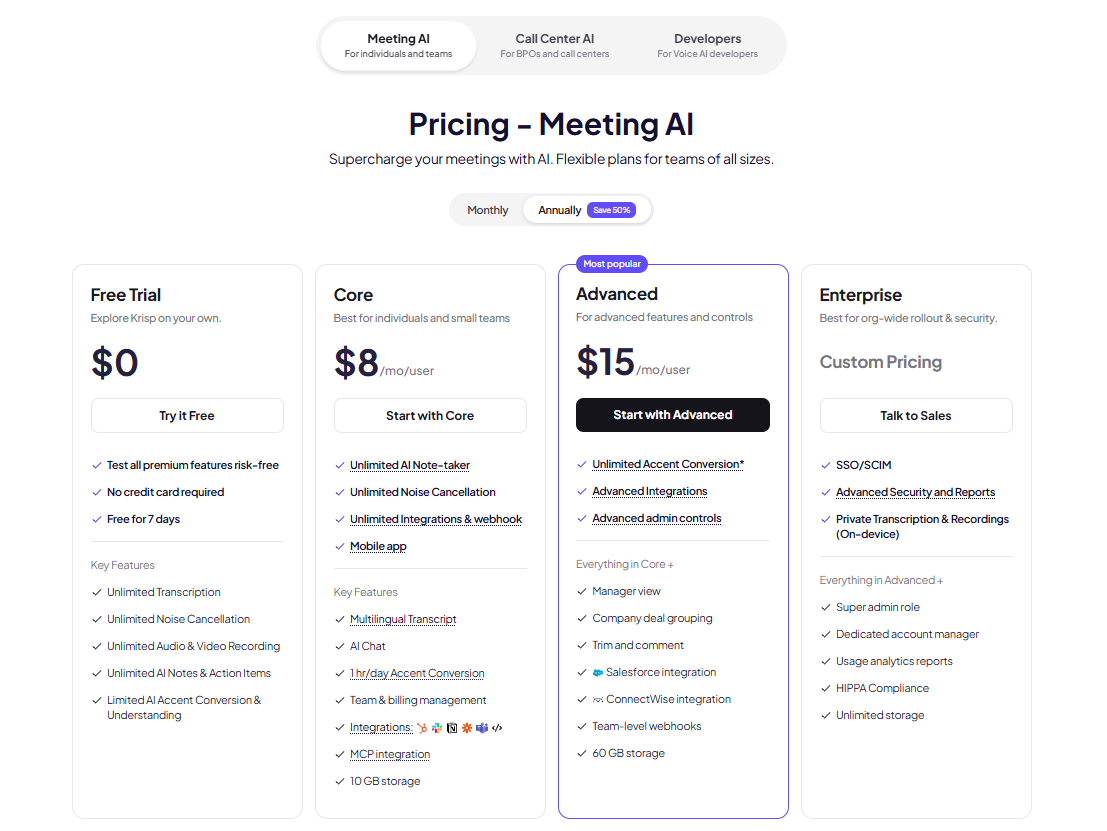
Krisp's Meeting AI plans are priced per user. The annual options are billed once per year, and the figures below show the monthly equivalent.
| Plan | Monthly billing | Annual billing (monthly equivalent) | Suggested use |
|---|---|---|---|
| Core | $16 | $8 | Starting point for solo freelancers |
| Advanced | $30 | $15 | For specific extra needs |
| Enterprise | Custom | Custom | Team-wide rollouts |
Check the billing option and total before you buy, since prices can change. (Source: Krisp's pricing page.)
For most freelancers, I would test Core before considering Advanced. Core includes unlimited noise cancellation, unlimited AI notes and action items, transcription, audio and video recording, the mobile app, integrations such as Slack, Notion, and HubSpot, and 10 GB of storage. It also includes one hour per day of accent conversion on the listener side. Advanced adds Salesforce and ConnectWise integrations, admin controls such as meeting link sharing and enforced note-taking mode, a manager view, and 60 GB of storage.
Compare Core and Advanced on Krisp's official site and pick the plan that matches your workload.
Treat annual billing as a separate decision. A tool can be useful without being worth a full year's commitment. Test it during a normal work week, then decide whether the lower annual rate fits your workload.
Also check for overlap. If you already pay for meeting notes elsewhere, decide which tool you will stop using. The savings are only real once that second charge is gone.
Does Krisp have a free plan?
Krisp's current pricing page lists a free trial rather than an ongoing free plan. The trial lasts seven days, requires no credit card, and includes unlimited transcription, noise cancellation, recordings, and AI notes, with limited accent conversion. If you search for a Krisp free plan, don't assume permanent free access.
Use the trial as a short test, not a permanent part of your workflow. Use it during real meetings. If you spend that week on solo work, you may not learn whether Krisp helps.
Before you start, write down three pass-or-fail checks. For example: your voice stays clear, screen sharing runs smoothly, and the notes shorten your follow-up work. That gives you a clear answer when the trial ends.
Start your 7-day Krisp trial and run your three checks during your next client calls.
What noise cancellation changes in virtual meetings
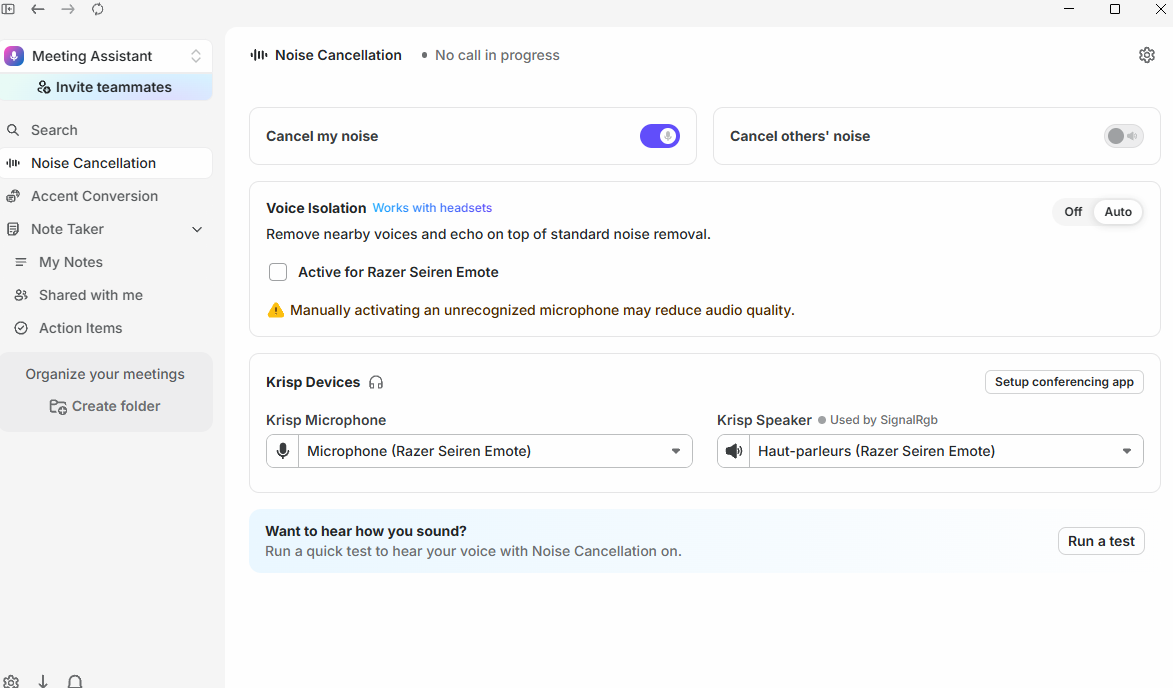
Krisp's noise cancellation runs on your device. Customer feedback and Krisp's materials describe two-way noise cancellation, which can reduce noise on your side of the call and on the other side. That matters most when the noisy room belongs to your client.
Treat the noise types Krisp mentions as test cases, not a guarantee. Test the sounds you actually hear while you speak in a normal voice, including pauses and short phrases.
For a fair comparison, keep the microphone, position, and speaking volume the same. Record a short sample with processing on and another with it off, then listen to both. Listen for clear speech as carefully as for reduced noise.
Check your computer's requirements before you buy, and confirm them on Krisp's help center, since these details can change.
Set up Krisp for Zoom without overprocessing your voice
Krisp works with Zoom by providing its own audio devices, which you select in Zoom's audio settings. Follow the setup guide in Krisp's help center, then run a short test call with a colleague before your next client meeting.
Zoom also has its own background noise suppression. If both are active, your voice may sound thin or distorted. Test the combinations and choose the one that sounds most natural to your listener.
Keep a fallback ready. Know how to switch back to your physical microphone in Zoom so you can restore a simple setup quickly if something goes wrong during a call. The goal is clear communication, not a complicated audio chain.
Audio routing from a headset through Krisp to Zoom
Get Krisp and set it up with Zoom today, then run the test call described above.
Krisp vs Otter: which fits your freelance work?
Choose Krisp when live audio cleanup matters most. Choose Otter when your main need is transcription and search. Both offer meeting assistant features, but Krisp combines them with noise cancellation for both sides of the call. Otter focuses on transcription, recordings, AI chat, and meeting workflows.
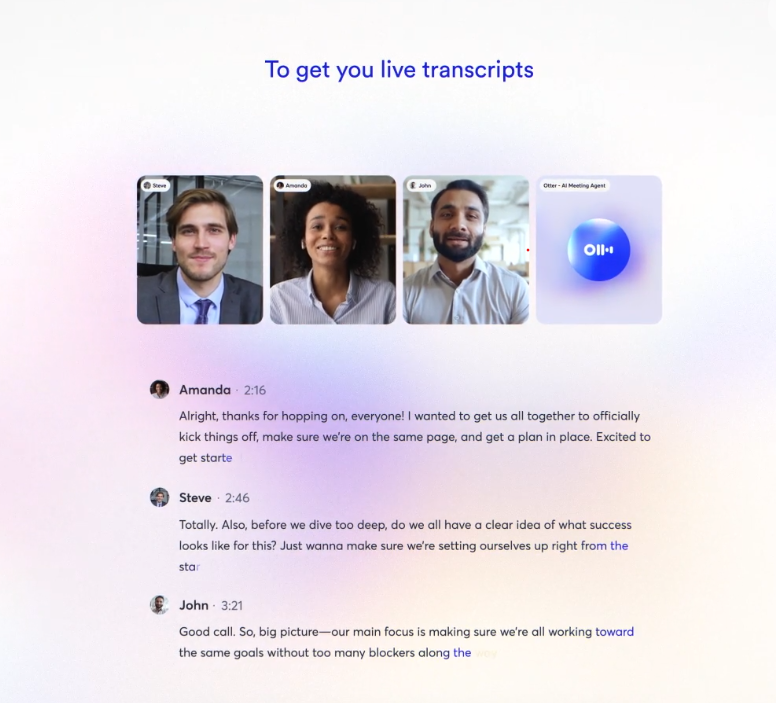
Otter's Basic plan is free and includes 300 monthly transcription minutes and three lifetime audio or video file imports. Its Pro plan costs $16.99 per user per month, or $8.49 per user per month billed annually. Pro includes 1,200 monthly transcription minutes, 10 monthly file imports, and up to 90 minutes per meeting. Check these limits against your typical call length before choosing.
Use this framework to choose:
| Your priority | What to check first |
|---|---|
| Cleaner live conversations plus notes | Krisp's combined workflow |
| Occasional transcription at no cost | Otter Basic's limits |
| Interview-heavy work | Meeting length, file imports, and export options |
| Sensitive client discussions | Data handling and recording settings |
When you can, run the same sample call through both tools. Check names, project details, decisions, and action owners, not just whether the summary reads well. Your productivity software should help you send an accurate follow-up, not just a polished recap.
Try Krisp's combined noise cancellation and note-taking and compare it with your current setup.
Other Krisp alternatives worth checking first
Zoom's built-in noise suppression
Zoom offers background noise suppression settings with several levels. If Zoom is your main meeting app and live audio is your only problem, start here. Use the same listening test you would use for Krisp. If people already hear you clearly, you need another reason, such as better notes, to pay for a separate tool.
NVIDIA Broadcast for supported Windows hardware
NVIDIA Broadcast offers AI-based noise and echo removal. You select its virtual device in your calling app. It requires a supported NVIDIA RTX graphics card and a Windows PC, so it isn't an option for every laptop. Check the current requirements before deciding, and don't buy new hardware just to avoid a software fee.
Free AI meeting tools and admin workflows
If the notes part of Krisp is what you need, consider the wider set of tools that handle routine admin work. Our overview of AI tools for administrative tasks compares options for scheduling, summaries, and follow-ups, which can help you decide whether a meeting assistant belongs in your stack at all.
Privacy and client approval belong in the buying decision
Noise cancellation and meeting transcription do not carry the same privacy considerations. Krisp's pricing page states that its AI models are not trained on your meeting data. It also lists on-device private transcription and recordings as an Enterprise feature, so transcription on lower-tier plans is processed in the cloud. Check the feature you plan to use rather than assuming the same privacy level applies to the whole app.
Krisp's sign-up process asks for a Google or Outlook calendar connection by default, so review that permission before you connect your account. Krisp also says teams can sign up without sharing calendar data, so ask if you need that option.
Before you use meeting capture on client work, ask whether the client agrees and how notes or recordings will be handled. Make recording and transcription part of your meeting process. Treat AI notes as a draft you check, not the final word on what the client agreed to.
Make the trial earn its place in your budget
Use this checklist before you pay:
- Audio: Does a listener find the processed version clear without missing words?
- Performance: Does your computer handle your usual meeting and screen-sharing load?
- Follow-up: Do the notes reduce editing and cleanup?
- Overlap: Will Krisp replace another paid tool, or add a new charge?
- Approval: Does the setup meet your client's expectations?
If you search for a Krisp coupon code or promo code, check any offer at checkout. This comparison does not verify any promo code. Compare the final total, billing period, and renewal terms rather than letting a discount headline decide for you.
Start the trial, run the checklist, and decide with real data
Takeaway
Is Krisp worth it? My view is yes, if clearer calls and easier follow-up are both regular needs. If you only need basic audio cleanup now and then, compare your current tools first.
Krisp is worth a test for freelancers who take noisy calls and need reliable notes. Use the seven-day trial during real client work, and keep it only if your calls and follow-up prove the value.
Questions and answers
Question: Should freelancers choose Krisp Core or Advanced first?
Short answer: Most solo freelancers should start with Core. It includes unlimited noise cancellation and AI notes, along with transcription, recordings, summaries, and action items. Advanced makes sense only if you need its extra integrations, admin controls, or accent conversion time.
Question: Is Krisp a good choice if I only need occasional noise cancellation?
Short answer: Not always. If you only have a few meetings in a quiet room, start with the audio settings you already have. Krisp is more useful when noisy calls and follow-up work happen regularly.
Question: How should I use the seven-day Krisp trial well?
Short answer: Use it during a week of real client calls, not a quiet week. Before you start, set pass-or-fail checks such as voice clarity, smooth screen sharing, and whether the notes reduce follow-up work. That turns the trial into a real buying test.
Question: What is the main difference between Krisp and Otter for freelancers?
Short answer: Krisp is the better first choice when live audio cleanup is central, because it combines noise cancellation for both sides of the call with meeting assistant tools. Otter is the better choice when your main need is transcription, searchable meeting information, and meeting workflows.
Question: Do Krisp's privacy considerations depend on the feature?
Short answer: Yes. Check the exact features you plan to use, confirm the calendar permissions you are granting, get client approval for recording or transcription, and review AI notes before sending client recaps.