Fyxer Discount Code: 20% Off + Free Trial

Last updated: October 16, 2026. Prices are in USD as listed on Fyxer's pricing page. The price does not include taxes.
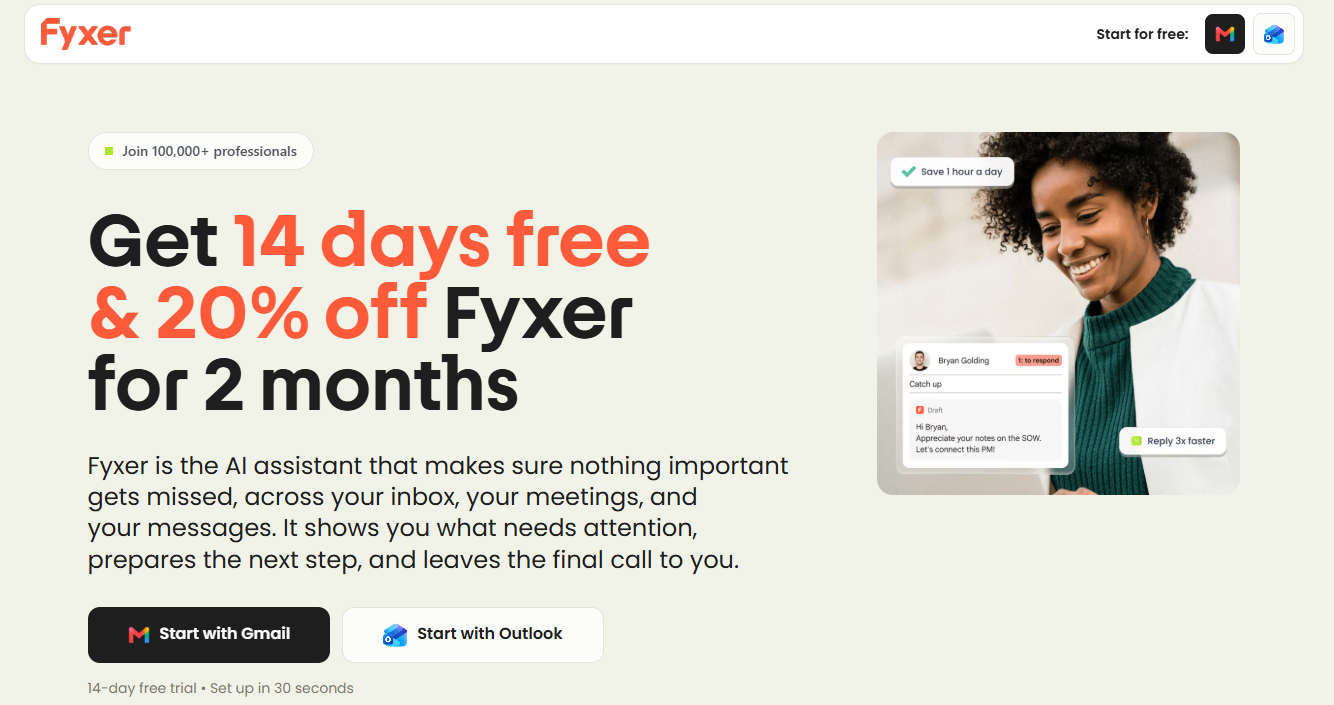
Short answer: you do not need a promo code. Fyxer gives 20% off your first 2 months to people who sign up through a partner link, and every new account also gets a 14-day free trial. Use this link to claim the Fyxer discount and the offer is tied to your account when you sign up.
This Fyxer AI review explains how to claim the offer, what it saves in dollars, which plans it fits, and the other ways to lower your Fyxer bill. Some of those options save more than the 20% Fyxer discount.
There is not a code to type at checkout, at least not one I could verify. The promo comes through a referral link. Fyxer runs an affiliate program, and partners share a tracking link. People who use it get 20% off their first 2 months.
The steps are simple. Click the link, sign up with it, and tie the discount to your account. Here is the link again.
A quick warning about coupon sites
If you search Fyxer promo code, you will find aggregator pages that list verified codes and sometimes higher discounts such as 25%. I could not confirm any of those on Fyxer's own pages.
Fyxer's affiliate page lists one community offer: 20% off the first 2 months. That is the offer I would trust. If a page asks you to pay for a shared premium subscription or hand over your login, close it.
According to Fyxer's affiliate program page, the promo is 20% off your first 2 months. It is not a lifetime discount, and it does not cut the price after the second month.
Here is the math on monthly billing, using the prices on Fyxer's pricing page:
| Plan | Normal monthly price | With 20% off (months 1 and 2) | Total saved over 2 months |
|---|---|---|---|
| Pro | $49 | $39.20 | $19.60 |
| Team | $99 | $79.20 | $39.60 |
These figures are my own arithmetic. They show that the discount is helpful, but small. The bigger savings come from the free trial and annual billing.
I could not confirm how the 20% is applied if you pay for a full year upfront, since annual plans are billed in one payment. Check the amount shown at checkout before you confirm, and contact Fyxer's support if it does not match what you expect.
- Click the partner link. Open this Fyxer link in the same browser you will use to sign up.
- Start the free trial. Choose Google (Gmail) or Microsoft (Outlook) and sign up with your work email. The trial lasts 14 days.
- Connect your inbox and calendar. Fyxer builds a profile of who matters to you and how you write.
- Use it for real. Test it with your actual email and meetings for the full two weeks.
- Pick a plan before the trial ends. If you pay, the promo applies to your first 2 months. If you do nothing, you move to the Free plan.
- Check your first invoice. Look for the 20% reduction. If it is missing, contact Fyxer support right away and mention that you signed up through a partner link.
Two practical tips. Do not click through a comparison site, a coupon aggregator, or an ad first and then go to Fyxer's homepage. That can overwrite referral tracking. Also, if you already have a Fyxer account, a partner link may not apply. Discounts are usually for new sign-ups. Ask support if you are not sure.
The free trial is worth more than the discount
For most people, the trial matters more than the 20%. According to Fyxer's pricing page, signing up gives you Team plan features free for 14 days: replies drafted in your tone, automatic email labeling, video meeting recordings, follow-up actions, and unlimited personal Spaces. You also get unlimited credits during the trial.
There is a second offer on top of it. Fyxer's launch promo includes unlimited credits for your first 3 months on paid plans, after which the normal monthly allowances apply: 3,000 credits per paid member on Pro and 6,000 per paid member on Team, pooled across the team.
When the trial ends, you drop to the Free plan unless you choose to pay. Free keeps 400 credits a month, a daily briefing, and 3 personal Spaces, but it does not sort your inbox or draft replies for you. For a full breakdown of what each plan includes, see our Fyxer pricing and credits guide.
My suggestion: use the trial to measure, not just to try. Note how many emails Fyxer sorts, how many hours of meetings it records, and how often you use chat. Then compare that with the credit allowance of Pro before you pay. Fyxer charges 0.2 credits per sorted email, 1 credit per recorded minute, and 20 credits per chat message, so heavy meetings use credits fastest.
Other ways to pay less for Fyxer
The partner discount is one lever. These are the others, from biggest saving to smallest.
1. Pay annually
This is the biggest saving available. According to Fyxer, annual billing saves up to 35%, and the listed prices show the gap:
| Plan | Monthly billing | Annual billing | Saving |
|---|---|---|---|
| Pro | $49 | $37 per month | about 25% |
| Team | $99 | $64 per month | about 35% |
Over a year, Pro costs $588 on monthly billing and $444 on annual billing. That is a difference of $144. It is much more than the $19.60 you would save with the 20% offer.
The catch is the commitment. If you are not sure Fyxer fits your workflow, start monthly, or use the trial first and switch to annual once you are confident. You can change between monthly and annual billing from Dashboard → Admin settings → Billing.
2. Choose the right plan
Many people pay for Team when Pro would be enough. Pro is built for solo operators. It includes inbox sorting, AI email drafts in your tone, meeting recording, and a follow-up list that stays up to date.
Team adds unlimited shared Spaces, assigned follow-up owners, a shared company profile, and reporting by person. If you work alone, or you do not share follow-ups with colleagues, Pro costs $27 less per month on annual billing.
3. Start on the Free plan
If you only want a daily briefing, a few meeting notes, and a taste of the assistant, Free costs nothing. It gives you 400 credits a month. If you used them only for chat, that is about 20 messages. If you used them only for recording, that is about 6 hours 40 minutes. The limit is that it does not sort your inbox or write drafts.
4. Pay only for people who need a seat
A seat is one paid member, no matter how many inboxes or calendars they connect. Viewers, meaning people who only need to read shared notes, transcripts, or Spaces, do not need a paid seat. Before the trial ends, check who is on your plan so you only pay for the people who use Fyxer.
5. Look for startup perks
A startup perks marketplace, FounderPass, also listed 20% off for 2 months on Fyxer when I checked. That is the same size of offer as the partner link, so it is not a better deal, and I could not confirm whether the two can be combined. If you already have access to a perks program, compare the terms before you choose a route.
6. Ask about volume pricing
For 10 or more members, Fyxer asks you to contact sales for a volume quote. Larger teams may get a better rate than the listed per-seat price, so it is worth asking before you commit.
How much does Fyxer cost after the discount?
Here is the full picture for a typical solo user choosing Pro:
| Billing | Year-one cost | Notes |
|---|---|---|
| Monthly, no discount | $588 | $49 a month |
| Monthly, with 20% off the first 2 months | about $568 | Saves $19.60 |
| Annual | $444 | $37 a month, billed yearly |
The numbers are my own calculations from the pricing page. If the 20% discount applies yearly, your first-year cost will be even lower. Verify the total at checkout.
The comparison shows the order of priorities. First use the free trial, then choose the right plan, then pay annually if you are sure, and treat the 20% as a bonus.
Is Fyxer worth paying for?

Photo by Alex Shute / Unsplash
Fyxer works inside Gmail or Outlook. It is an AI email assistant, an AI email sorter, and an AI email reply generator. It labels incoming email, drafts replies in your tone, sends a notetaker to your video meetings, and keeps a list of follow-ups. It does not send anything on its own, so you review each draft and decide what goes out.
It is a good fit if:
- You handle a lot of client or lead email and are afraid of missing something.
- You write the same kind of reply many times a week.
- You have several meetings a week and want notes and a drafted follow-up after each one.
It is probably not worth it if:
- Your inbox is quiet. Free, or no AI assistant at all, may be enough.
- You only want rule-based sorting and do not care about AI drafts.
- You expect every draft to be ready to send. Some reviewers say drafts may need rewriting or lack context, and meeting notes can be inaccurate at times.
That last point is why the trial matters. Test Fyxer on your own emails and meetings, and judge the drafts yourself.
Start your 14-day Fyxer trial with 20% off your first 2 months →
What happens if you cancel?
According to Fyxer, if you log in and delete your account, your inbox goes back to how it was before you connected it. If you do not pay at the end of the trial, you simply move to the Free plan. Fyxer only drafts replies from your account with your approval to send them.
FAQ
Is there a Fyxer coupon code?
Not one that I could verify. The 20% discount comes through a partner referral link, so you do not type anything at checkout. Use this link when you sign up.
How much is the Fyxer discount?
20% off your first 2 months, according to Fyxer's affiliate program page. It does not reduce the price after the second month.
Does Fyxer have a free trial?
Yes. The trial lasts 14 days and includes Team plan features and unlimited credits. After it ends you move to the Free plan unless you choose to pay.
Does Fyxer have a free plan?
Yes. The Free plan includes 400 credits a month, but it does not sort your inbox or draft replies automatically.
Does the discount work on annual plans?
I could not confirm how it is applied to an annual payment. Check the total at checkout, and ask Fyxer support if it looks wrong.
Can I get a student, nonprofit, or startup discount?
I could not find an official one on Fyxer's pricing page. A startup perks marketplace lists the same 20% for 2 months. For teams of 10 or more, Fyxer offers volume quotes through sales.
How do I know if the discount was applied?
Check the price shown at checkout and your first invoice. If the 20% is missing, contact Fyxer support and say that you signed up through a partner link.
Can I use the discount if I already have a Fyxer account?
Companies generally offer partner deals for new sign-ups. Ask Fyxer's support if you are already registered.
Which plan should I choose?
Pro ($37 a month on annual billing, $49 monthly) suits most solo users. Team ($64 annual, $99 monthly) is for groups that need shared follow-ups and reporting.
Bottom line
There is no secret Fyxer discount code, but there is a real offer: 20% off your first 2 months, plus a 14-day free trial with unlimited credits. The discount saves $20 on Pro and $40 on Team monthly. The trial and plan choice are crucial. Start the trial, measure your real usage for two weeks, and only then decide between Pro and Team, and between monthly and annual billing.
Claim the Fyxer discount and start your free trial →
Q&A
Question: What is the best order to use Fyxer's savings options?
Short answer: Start with the 14-day free trial, because it lets you test Team plan features and unlimited credits before paying. Then choose the right plan based on your actual usage, especially email sorting, meeting recording, and chat. If Fyxer fits your workflow after the trial, annual billing can save more over a year than the 20% partner discount. Treat the partner discount as an extra bonus on top.
Question: Why might annual billing save more than the 20% offer?
Short answer: The 20% partner offer only applies to the first 2 months, so the total savings are limited: about $19.60 on Pro or $39.60 on Team with monthly billing. Annual billing affects the full year. For instance, Pro costs $49 per month, or $37 per month when billed annually, totaling $588 compared to $444 over a year.
Question: How should I decide whether Pro or Team is enough?
Short answer: Pro is likely enough if you are a solo user who wants inbox sorting, AI-drafted replies, meeting recording, and follow-up tracking. Team is meant for groups that need shared Spaces, assigned follow-up owners, a shared company profile, and reporting by person. If you do not need those collaboration features, Pro is the cheaper choice.
Question: What should I measure during the 14-day trial?
Short answer: Track how many emails Fyxer sorts, how many meeting minutes it records, and how often you use chat. Those activities consume credits differently: sorted email costs 0.2 credits per email, recorded meetings cost 1 credit per minute, and chat costs 20 credits per message. Meeting-heavy users should pay closest attention, because recorded minutes can use credits quickly.
Question: What should I do if the partner discount does not appear?
Short answer: Check the checkout total and your first invoice. If the 20% reduction is missing, contact Fyxer support right away and explain that you signed up through a partner link. To lower tracking risk, use the partner link in the same browser you sign up with. Avoid clicking ads or coupon sites.