RiverFlow AI vs Canva (2026): Which Is Better for Ads?

RiverFlow AI vs Canva: Which One Is Better for Ad Creative and Product Photos?
Last updated: October 21, 2026. RiverFlow changed its plans in September 2026: the Starter plan is gone, and new customers now choose between Growth, Scale, Business or Enterprise. Prices below are in USD and exclude VAT and sales tax.
If you run paid ads or sell products online, you have probably hit the same wall at some point. The offer is good and the targeting is dialed in, but the creative runs out. You need ten new ad variations by Friday, a fresh set of product photos for a seasonal launch, and a short video for Reels. And you are still opening Canva, duplicating a template and changing a headline again.
That is the real question behind RiverFlow AI vs Canva: do you keep building creative by hand in a general design editor, or do you move to an AI platform built to produce on-brand ads, product photos and video in volume?
Both tools can speed up your creative work, but they come from opposite directions. Canva is a design editor with AI features on top. RiverFlow AI is an AI creative engine trained on your brand and products. It is designed to generate finished assets in batches. Neither is better in the abstract. The right choice depends on how much creative you need, how consistent it has to be, and who on your team is making it.
👉 Get 20% off RiverFlow AI here - our exclusive discount link, valid on new subscriptions.
This guide compares two tools in brand consistency, product photos, ads, videos, editing, collaboration, and pricing. We show how to use credit math in real situations, combine both tools, and end with an easy decision checklist. If you are searching for a Canva alternative for ad creative, you will know by the end whether RiverFlow AI is the right move.
This RiverFlow AI review is based on each tool's published features and pricing, plus common use cases from ecommerce brands and performance marketers. Prices and plans change, so always confirm the current details on each vendor's site before you buy.
Quick Verdict: RiverFlow AI vs Canva

Short answer: opt for Canva for an easy, all-purpose design editor for social posts, presentations, documents, and one-off layouts, particularly if you prefer a free or low-cost starting point. Choose RiverFlow AI if your bottleneck is making large volumes of on-brand ad creative, product photoshoots and short videos for testing on Meta, TikTok or Google. Many teams end up using both. RiverFlow AI makes the assets in bulk, and Canva handles final layout tweaks and non-ad content.
👉 See RiverFlow AI with 20% off
RiverFlow AI vs Canva at a Glance
| RiverFlow AI | Canva (Magic Studio) | |
|---|---|---|
| Best for | On-brand ads, product photoshoots and video at scale | General-purpose design with AI features |
| Core approach | AI generation trained on your brand and products | Drag-and-drop editor + templates + AI tools |
| Brand consistency | Brand profiles with products, scenes and style rules | Brand Kit (logos, colors, fonts) |
| Product photography | Photoshoots from your saved product references | Background and image tools, less product-specific |
| Ad variations | Built-in, from one approved hero image | Manual, template by template |
| Video | Short product videos from approved stills | Video editor and AI video tools |
| Editing control | Brief-driven, refine by prompt | Full manual drag-and-drop control |
| Pricing model | Credits (pay for output) | Free plan + per-seat paid plans |
| Learning curve | Short, but you need a clear brief | Very beginner-friendly |
| Ideal user | Performance marketers, ecommerce brands, agencies | Anyone who designs, from solo founders to large teams |
On paper, RiverFlow AI and Canva do not look like direct competitors. One is a specialist, the other is a general tool. But in practice, they compete for the same budget and the same hours of your week: the time and money spent on turning an idea into a finished ad or product image.
Three trends push marketers to compare them:
Creative testing has become the main lever. On Meta and TikTok, targeting is more automated, so the creative itself does most of the work. Teams that test more concepts, hooks and formats often find winners faster. That puts pressure on production speed.
Design headcount is hard to scale. Hiring a designer for every brand or every product line is not realistic for most small and mid-size teams. That makes tools that multiply output more attractive.
Canva added AI, so people wonder if it is enough. With Magic Studio, Canva now covers a lot of AI ground. The question is whether those features are enough for high-volume ad production, or whether a purpose-built tool does the job better.
The answer depends on the job. Let's look at what each tool actually is.
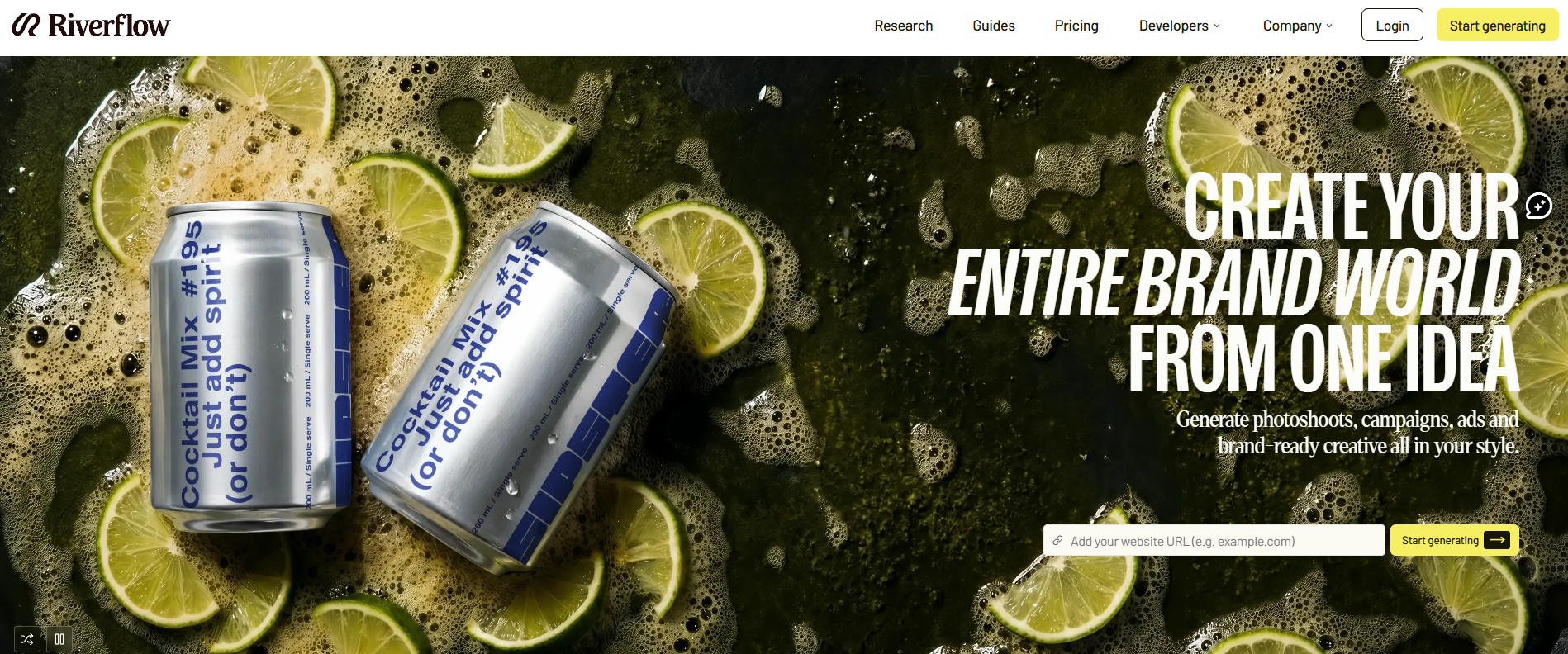
RiverFlow AI is a creative platform built for on-brand product photos, video and ready-to-launch ads. Instead of starting from a blank canvas, you set up a brand profile with your products, scenes, style rules and reference assets. RiverFlow creates ads, images, and videos that look the same in many versions.
The key is brand memory. The platform stores your products and style rules, so each new generation starts from your brand context instead of from scratch. That is what separates it from a generic image generator, where each prompt can drift in look and feel.
RiverFlow AI covers the full production chain in one place:
- Product photoshoots staged in scenes you describe in plain language, using your saved product references.
- Image creation, editing and upscaling , including precise edits to approved assets.
- Ads and variations generated from an approved hero image, each with a different copy hook.
- Video and motion , turning an approved still into a short product video with camera movement.
- MCP access , so you can run generations from inside assistants like Claude or ChatGPT using your saved brand context. We cover this in our RiverFlow AI vs Claude comparison.
It is aimed at ecommerce brands, agencies and performance marketers who need creative volume without adding more designers.
Why Marketers Compare These Two Tools
On paper, RiverFlow AI and Canva don't look like direct competitors. One is a specialist, the other is a generalist. But in practice, they compete for the same budget and the same hours of your week: the time and money spent turning an idea into a finished ad or product image.
Three trends push marketers to compare them:
- Creative testing has become the main lever. On Meta and TikTok, targeting is increasingly automated, so the creative itself does most of the work. Teams that test more concepts, hooks and formats tend to find winners faster. That puts pressure on production speed.
- Design headcount is hard to scale. Hiring a designer for every brand or every product line isn't realistic for most small and mid-size teams, so tools that multiply output are attractive.
- Canva added AI, so people wonder if it's enough. With Magic Studio, Canva now covers a lot of AI ground. The question is whether those features are enough for high-volume ad production, or whether a purpose-built tool does the job better.
The answer depends on the job. Let's look at what each tool actually is.
What Is RiverFlow AI?

RiverFlow AI is a creative-generation platform built for on-brand product photography, video and ready-to-launch ads. Instead of starting from a blank canvas, you set up a brand profile with your products, scenes, style rules and reference assets. RiverFlow then generates static ads, lifestyle images and short-form video that stay visually consistent across dozens or hundreds of variations.
The core idea is brand memory. Because the platform stores your products and style rules, every new generation starts from your brand context instead of from scratch. That's what separates it from a generic image generator, where each prompt tends to drift in look and feel.
RiverFlow AI covers the full production chain in one place:
- Product photoshoots staged in scenes you describe in plain language, using your saved product references.
- Image creation, editing and upscaling, including precise edits to approved assets.
- Ads and variations generated from an approved hero image, each with a different copy hook.
- Video and motion, turning an approved still into a short product video with camera movement.
- MCP connectivity, so you can run generations from inside assistants like Claude or ChatGPT using your saved brand context. We cover this in our RiverFlow AI vs Claude comparison.
It's aimed at ecommerce brands, agencies and performance marketers who need creative volume without growing the design team.
What Is Canva (Magic Studio)?
Canva is the most popular online design platform, known for its drag-and-drop editor, huge template library and ease of use. Magic Studio is Canva's AI suite. It includes AI image generation, Magic Edit, Magic Eraser, background removal and AI copy through Magic Write.
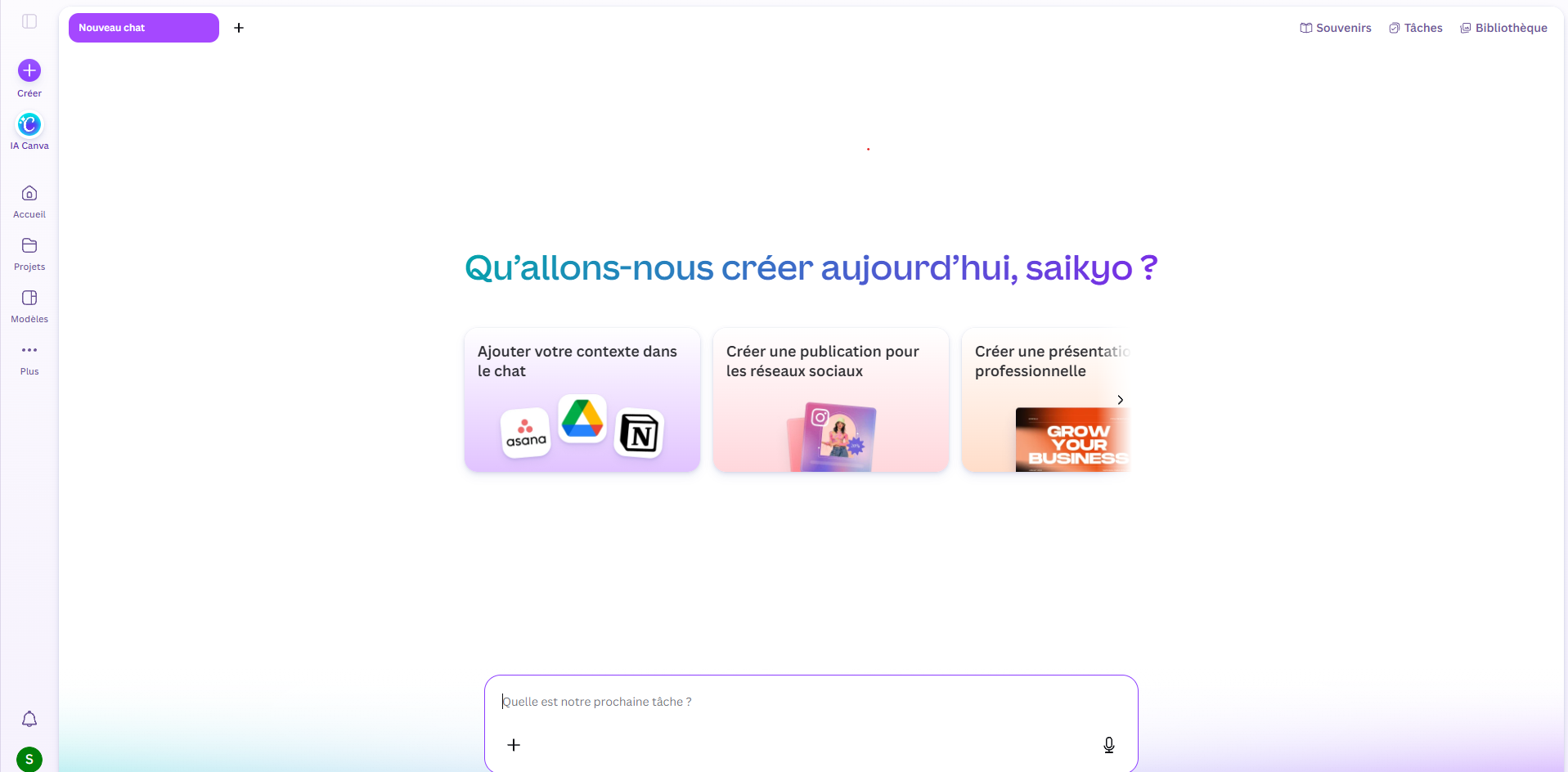
Canva's biggest strength is flexibility. In one tool, you can build social posts, presentations, flyers, documents, simple ads and videos. It offers real-time collaboration, many templates, stock assets, and a free plan, making it ideal for any team.
What Canva is not is a tool built for performance ads. It was made for everyone, so its AI features support a very broad range of design tasks rather than focusing on high-volume, brand-trained ad generation.
RiverFlow AI vs Canva: Feature Comparison
Brand Consistency
This is where the two tools differ the most, and it is often the deciding factor.
Canva's Brand Kit stores your logos, colors and fonts. That keeps layouts on brand at the design level: the right palette, the right typeface and the right logo placement. But it does not learn what your products look like, how your scenes should feel, or which visual style your best ads share. When you generate an AI image in Canva, you are still prompting a general model each time.
RiverFlow AI stores products, scenes, style rules, characters and reference assets per brand profile. Every new generation draws on that context, so batches of ads and photos look like they came from the same shoot. For a brand with a clear visual style, or an agency managing several clients, that consistency saves a lot of rework. You spend less time rejecting off-brand outputs and more time picking winners.
Edge: RiverFlow AI, especially for multi-brand and multi-product work.
Product Photography
Canva can remove backgrounds, replace them and edit images with Magic Edit and Magic Eraser. For simple catalog work, like cleaning up a packshot or placing a product on a colored background, that is often enough.
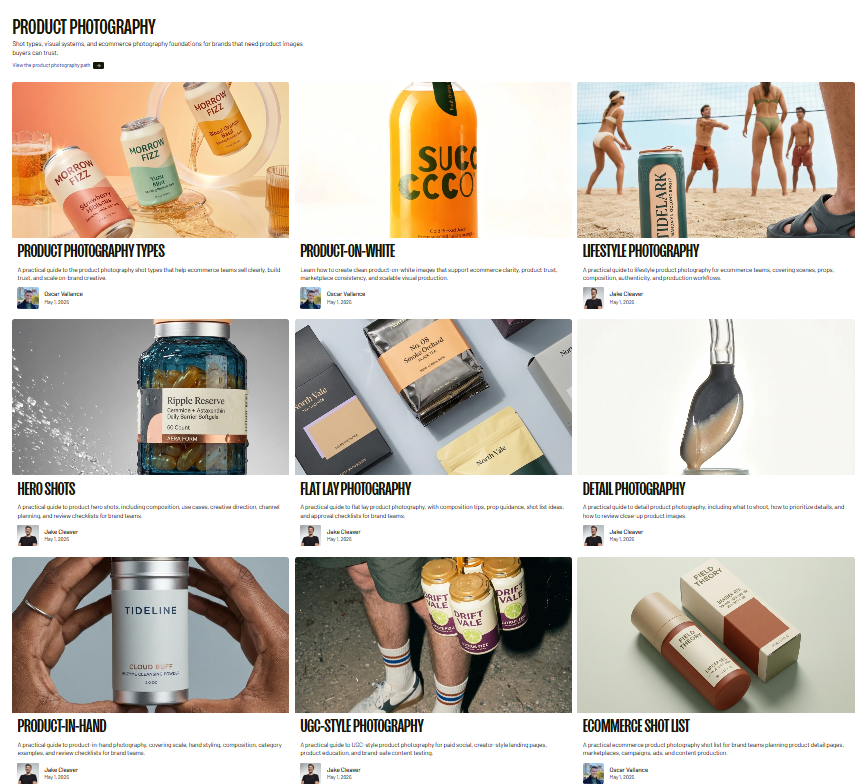
RiverFlow AI goes further. Describe a simple scene like a bathroom shelf or kitchen counter. Place your saved product there. You can make clean studio shots, lifestyle scenes and seasonal campaign images without booking a shoot. If you want an AI product photo generator for ecommerce, RiverFlow AI is built for that job.
Edge: RiverFlow AI for lifestyle and campaign photography. Canva is fine for basic cleanup.
Ad Variations and Creative Testing
Performance marketing runs on testing: one concept, many hooks, many formats. A common test uses the same hero image with five headlines, or the same message across feed, Stories and Reels.
In Canva, you build each variation by hand or by duplicating templates. Canva's templates for ads help, but you still build each variation yourself. That works for a few ads, but it gets slow when you need dozens. Canva's resizing and template tools help, but you are still doing much of the assembly yourself.
In RiverFlow AI, you can generate several ad variations from one approved hero image, each with a different copy hook, while keeping the product and brand treatment the same. That fits the hook-testing workflow most Meta and TikTok teams already use, where you change one variable at a time. As an AI ad creative generator, it is built for that job.
Edge: RiverFlow AI, clearly, once you are past a few ads a week.
Video
Canva offers video editing and AI video tools. It is a good place to trim clips, add captions, music and transitions, and build longer videos from several scenes.
RiverFlow AI specializes in creating short product videos from approved images, adding camera movement and a polished final touch. That suits Reels, TikTok and Stories placements where you need many short, polished product clips fast. It also makes RiverFlow a strong AI video ad generator for short-form campaigns.
Edge: Depends on the format. RiverFlow AI is better for short product videos from stills. Canva is better for editing and assembling more complex videos.
Ease of Use and Editing Control
Canva wins on beginner-friendliness and manual control. To move a text box, swap a font, nudge a logo, or build a one-off layout in five minutes, nothing beats a drag-and-drop editor. Anyone on your team can use it with almost no training.
RiverFlow AI is more brief-driven. You describe what you want, review the output and refine. That is faster at scale and needs less design skill, but it is not as good for pixel-level layout work. Output quality also depends on the quality of your brief, so a clear description of the product, scene, audience and angle matters.
Edge: Canva for manual control. RiverFlow AI for speed at volume.
Collaboration and Team Access
Both tools support teamwork. Canva has real-time editing, commenting and shared folders, which is great for review cycles and cross-team design work.
RiverFlow AI's plans are output-based rather than seat-based, so cost does not automatically rise with every person who needs access. For agencies and teams where many people need to review or request creative, that can make budgeting simpler.
Edge: Roughly even. Canva is stronger for live co-editing, while RiverFlow is stronger for sharing output across larger teams without per-seat pricing.
Scale and Volume
This is where the gap widens. Canva scales with people: more designers produce more assets. RiverFlow AI scales with credits: more credits produce more assets, without adding headcount. If your plan is to go from 20 creatives a month to 200, RiverFlow's model is built for that jump.
Edge: RiverFlow AI.
RiverFlow AI vs Canva Pricing
The two tools use different pricing models, so a direct comparison needs context.
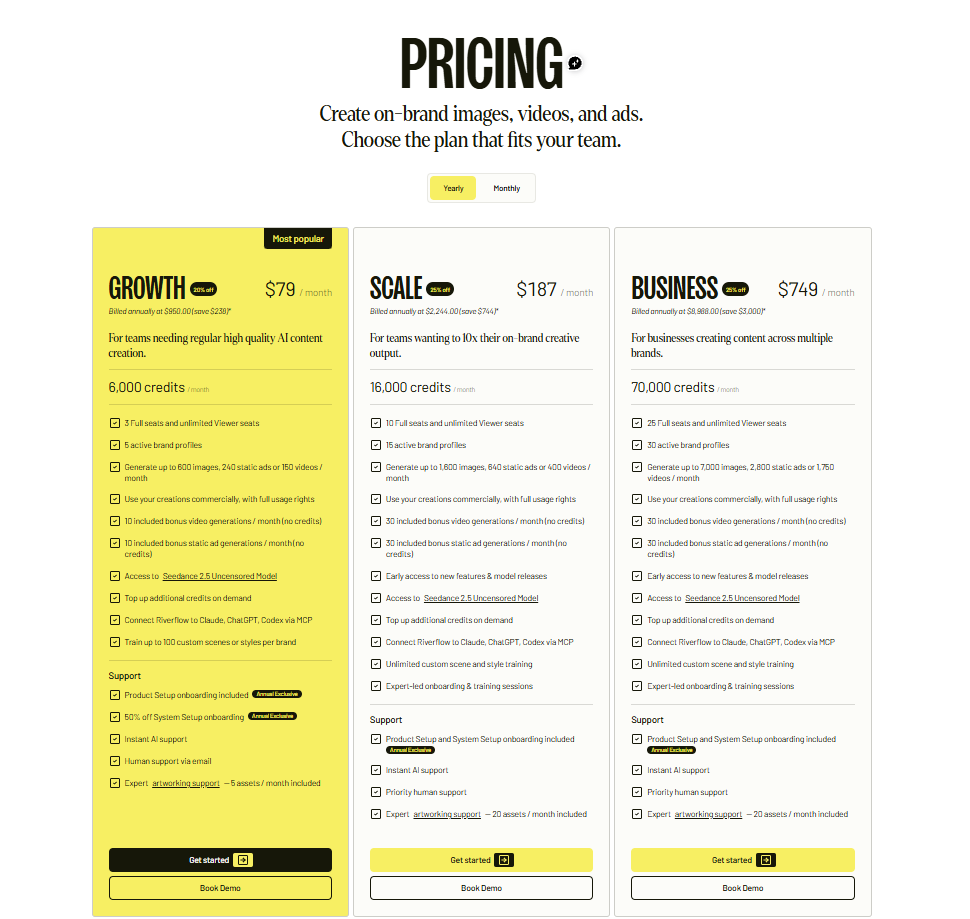
The two tools use different pricing models, so a direct comparison needs context.
Canva has a free plan and paid plans priced per seat. Canva Pro costs around $15 per month for one user. Check Canva's pricing page for the current figure and team plans. Cost rises as you add people, not as you add output.
RiverFlow AI charges in credits, so you pay for output volume. At base rates, one image costs 10 credits, one static ad 25 credits and one video 40 credits. For more detail, read our guide on RiverFlow AI credits.
| Plan | Price (USD/month) | Credits | What you get |
|---|---|---|---|
| Growth | $78 | 6,000 | About 600 images, 240 static ads or 150 videos |
| Scale | $187 | 16,000 | 15 brand profiles, MCP access |
| Business | $749 | 70,000 | 30 brand profiles |
| Enterprise | Custom | Custom | Custom setup |
If you spent every Growth credit on one type of output, that works out to roughly $0.13 per image, $0.33 per static ad or $0.52 per video before the discount. On Scale, it drops to roughly $0.12 per image, $0.29 per static ad and $0.47 per video.
👉 Use this link for 20% off any RiverFlow AI plan - the discount applies whether you start on Growth or go straight to Scale.
What Would You Actually Pay? Three Example Scenarios
These examples are illustrations based on the credit rates above, not guarantees. Your real usage will vary.
Scenario 1: A small store testing ads occasionally. You produce about 20 images, 10 static ads and 2 videos a month. That's roughly 530 credits (200 + 250 + 80), a fraction of Growth's 6,000. At that volume, you'd be paying $78 for capacity you mostly don't use. Canva's free plan or Pro is probably the smarter starting point here.
Scenario 2: A DTC brand running regular creative tests. You produce about 150 images, 100 static ads and 20 videos a month. That's roughly 4,800 credits (1,500 + 2,500 + 800), which fits within Growth's 6,000. With the 20% discount, $78 becomes about $62.40 per month for around 270 finished assets. Producing that many on-brand assets manually would take a designer many hours.
Scenario 3: An agency managing four brands. You produce about 400 images, 250 static ads and 60 videos a month. That's roughly 12,650 credits (4,000 + 6,250 + 2,400), which fits within Scale's 16,000. With the discount, $187 becomes about $149.60 per month, with room for 15 brand profiles. Agencies benefit most because brand memory keeps each client's visuals separate and consistent.
The Pricing Takeaway
Canva is cheaper if you make a handful of designs and mostly work by hand. RiverFlow AI becomes the better value when you need dozens of on-brand creatives every week and want to avoid paying a designer for each variation. The break-even point depends on your volume, so estimate your monthly images, ads and videos before choosing a plan.
Pros and Cons
RiverFlow AI
Pros
- Strong brand consistency across large batches
- Built for ad variations, product photography and short video
- Output-based pricing that scales with production, not headcount
- Brand profiles keep multiple brands or product lines separate
- MCP access to assistants like Claude and ChatGPT
Cons
- Narrower scope than a general design platform
- No listed free tier, so there is a monthly commitment from day one
- Credits need budgeting if you produce a lot
- Less suited to fine manual layout work
- Output quality depends on a clear brief
Canva (Magic Studio)
Pros
- Very easy to learn, with a huge template library
- Free plan and low-cost paid plans
- Full manual control over layouts
- Covers many content types, not just ads
- Strong real-time collaboration
Cons
- Brand Kit covers logos, colors and fonts, not your products' look
- Variations are mostly manual, which slows high-volume testing
- AI features are broad rather than ad-specific
- Per-seat costs grow as the team grows
Who Should Choose Canva?
Canva is the right choice if:
- You design a wide range of content, such as social posts, presentations, documents and flyers.
- You want a free or low-cost tool and full manual control over layouts.
- Your ad volume is low, and you test only a few creatives per month.
- Your team is non-technical and wants templates they can edit in minutes.
- You rarely need consistent product imagery across many scenes.
Who Should Choose RiverFlow AI?
RiverFlow AI is the right choice if:
- You run paid ads on Meta, TikTok or Google and need many variations to test.
- You sell physical products and want AI product photography without a studio.
- You manage several brands or product lines and need consistent visuals across all of them.
- You are an agency that needs to scale creative output across clients without hiring more designers.
- You want to cut creative production time and do not want costs to grow with headcount.
👉 Start with 20% off RiverFlow AI
Can You Use RiverFlow AI and Canva Together?
Yes, and it's often the most practical setup. The tools complement each other instead of cancelling each other out.
Here's a workflow many teams can use:
- Set up your brand profile in RiverFlow AI. Add your products, reference assets and style rules so every generation starts from your brand context.
- Generate hero images. Create a few lifestyle or studio shots of your product and pick the strongest as your approved hero.
- Produce ad variations. From the hero image, generate several variations, each with a different copy hook, so you can isolate one variable at a time.
- Create short videos. Turn the best stills into short product clips for Reels, TikTok and Stories.
- Finish in Canva when needed. Bring the winners into Canva for extra formats, quick text edits, captions, or non-ad content like presentations and social posts.
- Launch, measure and iterate. Feed the winning angles back into RiverFlow to generate the next round.
You get RiverFlow's consistency and volume, plus Canva's easy manual editing where it matters.
Common Mistakes to Avoid
- Choosing a tool before estimating volume. Count how many images, ads and videos you need per month. That number often decides the answer.
- Treating AI output as final without review. Always check products, text, claims and brand fit before assets go live, especially in regulated categories.
- Writing vague briefs. The more specific you are about product, scene, audience and angle, the better the output, in either tool.
- Testing too many variables at once. Change one element per variation (the hook, the image or the format) so you can tell what actually moved performance.
- Paying for capacity you don't use. If your volume is small, start with a lighter option and upgrade when your testing demands it.
The Best Canva Alternative for Ad Creative
If you're searching for a Canva alternative because Canva feels slow or generic for ad testing, RiverFlow AI is one of the strongest options. It's purpose-built for ads, product photography and video, trains on your brand, and produces variations in batches. If you only need basic design work, Canva is still hard to beat. For other options, see our list of the best AI ad generators for 2026 and our RiverFlow AI pricing and alternatives guide.
How to Get the RiverFlow AI Discount
New subscribers can get 20% off RiverFlow AI by signing up through our link. Here's how to make the most of it:
- Click the discount link before you create your account or choose a plan.
- Estimate your monthly volume using the credit rates above.
- Pick Growth if you're producing a few hundred assets a month, or Scale if you manage several brands or need much more volume.
- Confirm the final price at checkout, since plans and offers can change.
👉 Claim the RiverFlow AI 20% discount
Quick Decision Checklist
| If this sounds like you... | Choose |
|---|---|
| I make a few designs a month and want something free or cheap | Canva |
| I need presentations, documents and social posts in one tool | Canva |
| I want full manual control over every layout | Canva |
| I test many ad variations every week | RiverFlow AI |
| I sell physical products and need lifestyle photos without a studio | RiverFlow AI |
| I manage several brands and need consistent visuals | RiverFlow AI |
| I want to scale output without hiring more designers | RiverFlow AI |
| I want volume and polish | Both together |
FAQ
Is RiverFlow AI better than Canva? It depends on the job. RiverFlow AI is better for on-brand ad creative, product photos and video at scale. Canva is better for general design, quick manual edits and low-volume work.
Is RiverFlow AI a good Canva alternative? Yes, if your goal is ad creative and product visuals. It isn't a full replacement for Canva's templates, documents and presentations.
Is Canva cheaper than RiverFlow AI? For occasional use, usually yes, since Canva has a free plan and Pro costs around $15 per month. For high-volume ad production, RiverFlow's credit pricing can be more cost-effective because you pay for output, not seats.
Does RiverFlow AI have a free plan? RiverFlow doesn't list a free tier. Plans start at Growth, and new subscribers can get 20% off through our discount link.
Can RiverFlow AI create product photos? Yes. You can save product references and generate photoshoots in different scenes from a plain-language brief.
Can RiverFlow AI make ads for Meta and TikTok? Yes. It generates static ads and short videos, plus variations from an approved hero image, which suits the formats most Meta and TikTok campaigns use.
How many images can I make with RiverFlow AI? It depends on your plan and what you generate. At base rates, an image costs 10 credits, so Growth's 6,000 credits cover roughly 600 images if you use them all on images.
Can I use RiverFlow AI with Canva? Yes. Many teams generate assets in RiverFlow AI and finish layouts in Canva.
Does RiverFlow AI replace a designer? For many teams it's a multiplier rather than a replacement. It handles volume and consistency, while a human still reviews for brand fit, compliance and final polish.
Is there a RiverFlow AI discount code? There's a 20% discount available for new subscriptions through our link: go.riverflow.ai/riverflow-vs-canva.
Read More
- RiverFlow AI: Pricing, Features, and the Best Alternatives (2026 Guide)
- RiverFlow AI Credits Explained: What Each Image, Ad and Video Really Costs
- RiverFlow AI vs Claude: Which One Actually Builds Your Ad Creative?
- RiverFlow AI vs ChatGPT: Best AI for Ad Creation
- Top AI Ad Generators for 2026
Bottom Line
RiverFlow AI and Canva aren't really direct rivals. Canva is the all-purpose design editor: easy, flexible and affordable, and still the best choice for general design, presentations and hands-on layouts. RiverFlow AI is the specialist for on-brand ads, product photography and video at scale, built to keep up with the testing volume modern paid campaigns demand.
If your main problem is making enough good creative to keep testing, RiverFlow AI is the better fit, and the credit math gets more attractive as your volume grows. If you need flexible, hands-on design for many content types, Canva stays a great choice. And if you want both speed and polish, use them together.
👉 Get 20% off RiverFlow AI and start your first brand profile today.