Magica AI Pricing: Plans, Credits, and the 10M Free-Credit Offer

Last updated: October 26, 2026
Magica AI, formerly Galaxy.ai, combines an AI agent with many AI tools. It uses credits, so your bill depends on the work you do. Its entry plan costs $14.99 per month and includes 15 million monthly credits, but that does not mean you get a fixed number of chats, images, or videos. This guide explains the plans, shows how to estimate your real cost, and explains how to test the advertised 10M free-credit offer before you pay.
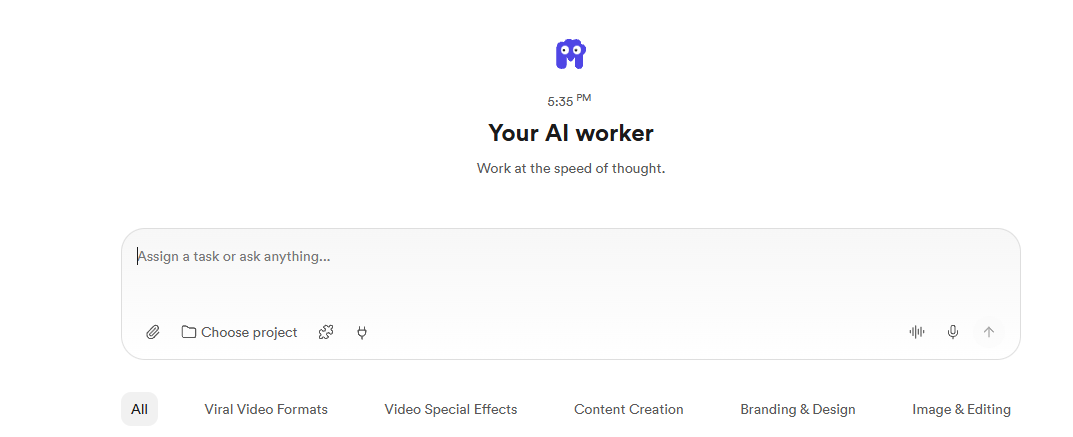
Try Magica with the 10M free-credit offer
If you want the product overview first, read our Magica AI review. For the wider feature set, see the Magica AI complete guide.
The real question is not whether 15 million credits sound large. It is whether those credits buy enough useful work to justify the bill.
How does Magica AI pricing work?
Magica AI pricing uses a monthly plan plus a credit balance. Each task uses credits based on the model, tool, and work involved. There is no single per-message rate. You can buy more credits if your balance runs low.
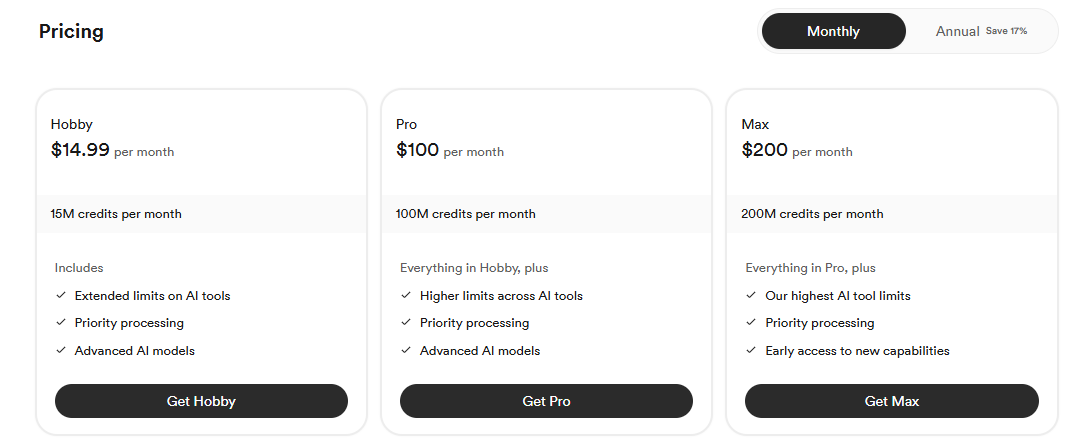
Magica's help center lists these plans:
| Plan | Monthly billing | Annual billing | Monthly credits |
|---|---|---|---|
| Hobby | $14.99 | $150/year | 15M |
| Pro | $100 | $1,000/year | 100M |
| Max | $200 | $2,000/year | 200M |
All three plans include the AI worker, models, and tools. Higher tiers raise usage limits. Max also offers early access to new features. Check the final price and allowance at checkout, because offers can change.
Teams have different pricing: $15 per user each month or $96 per user each year, with a five-seat minimum and pay-as-you-go AI credits. Enterprise pricing is custom and starts at 100 seats. Do not assume a team seat includes the same credits as an individual plan.
If you found an older Galaxy AI review or searched for Galaxy AI pricing, use current Magica docs instead of old screenshots. The company says Galaxy was renamed Magica, and accounts, credits, history, and subscriptions carried over.
Credits are a budget unit, not a finished item count
Magica's credit system tracks the work each task does. Premium models, video generation, and long agent tasks can use more credits. The docs also warn that some advanced runs can use more credits than a balance of several million.
That makes a claim like "15M credits equals thousands of outputs" useless unless you name the task. An image idea, a finished video, and a multi-step research job are different purchases, even if they come from the same balance.
There is an important difference between Magica's two work modes:
- Tools: Each tool page shows an estimated credit cost before you run it. Use these estimates for a specific model or a repeatable task.
- Super Agent: A task may use several models and tools, so its final cost is not known in advance.
- Final billing: Magica holds an estimate while the task runs, then charges the real usage when it ends. Check the final charge, not just the first estimate.
For repeatable work, start with a narrow test. For example, "Create one product image with these settings" gives you a clearer budget target than "build my whole campaign."
If you're comparing credit systems across tools, our explainers on Riverflow AI credits and Fyxer pricing and credits show how other platforms charge per task.
Are the 10M free credits worth it?
The advertised 10M free credits are useful as a test budget, not as proof that ongoing use will be cheap. Their real value depends on whether the offer applies to your account, which tools it unlocks, and how many good results your workflow produces.
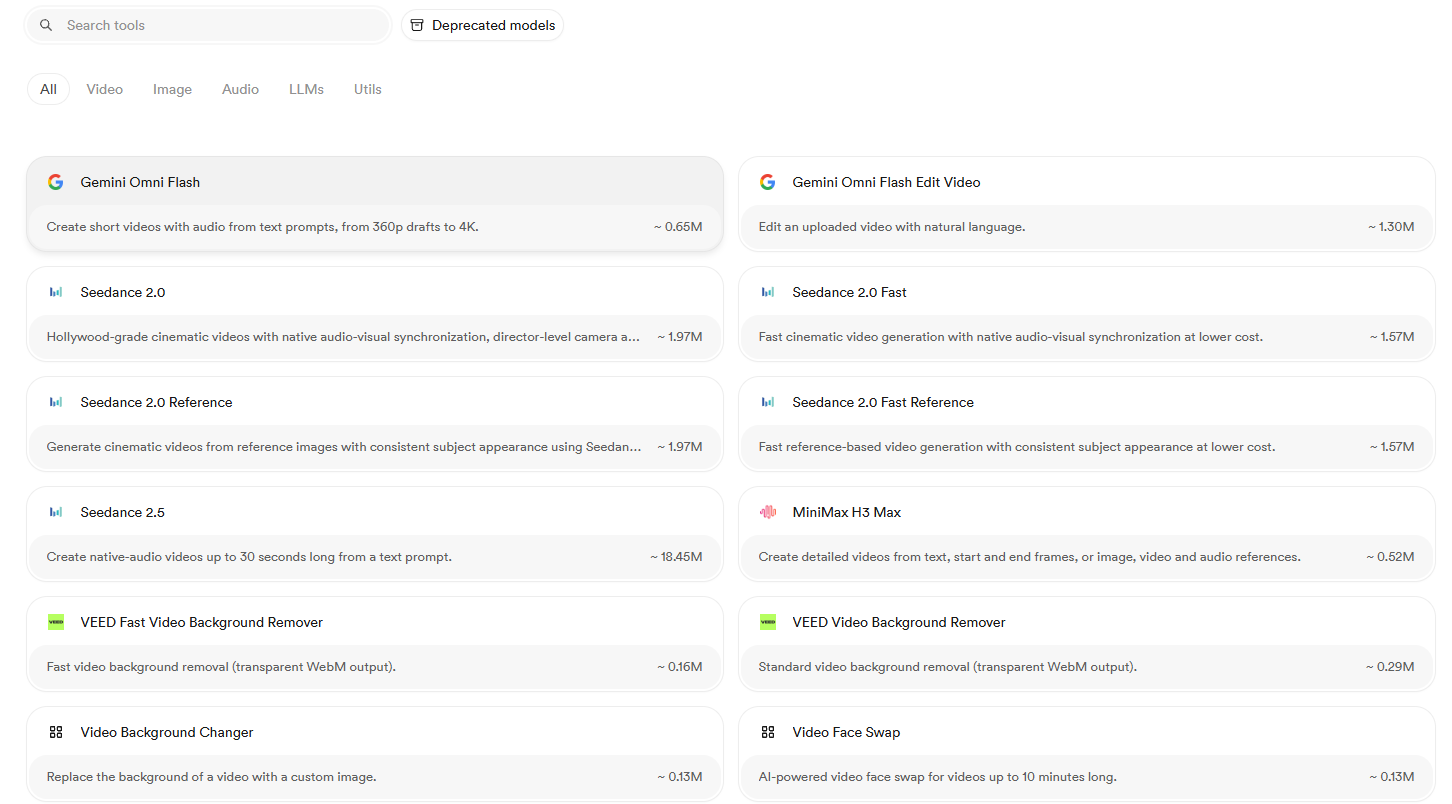
Claim the 10M free-credit offer and start testing
Once you're in, confirm the 10 million credits appear in your account before you rely on them or buy a plan.
Do not treat a promo balance as a monthly allowance. Before you start, check whether payment details are needed, whether the credits expire, and whether your planned models are included. Save a screenshot of the offer and your starting balance.
Then use the test budget with care:
- Choose real work. Test the email drafts, product images, document summaries, or clips you actually need, not random demos.
- Record settings and charges. Note the model, input size, output settings, and final credit use.
- Count acceptable results. Include completed attempts you reject when you work out the cost of one usable finished item.
- Repeat the task. Check whether the cost and output stay steady across a few runs.
- Scale to a normal month. Multiply the cost of one run by your expected workload, and leave room for edits.
A good test should answer a simple buying question: can this platform do your work at a cost you are happy to repeat?
Turn credit usage into a realistic monthly estimate

A useful AI pricing analysis starts with measured use, not the biggest number on a pricing page. Build a small worksheet around the tasks you expect to repeat.
Estimated monthly credits = task volume × observed average credits per task, summed across tasks.
The following example uses made-up rates only to show the math. These are not verified Magica rates and are not promises about any model.
| Example workload | Assumed credits per task | Monthly quantity | Estimated credits |
|---|---|---|---|
| Text requests | 5,000 | 100 | 500,000 |
| Image generations | 150,000 | 20 | 3,000,000 |
| Video generations | 1,000,000 | 10 | 10,000,000 |
| Total | 13,500,000 |
Under those assumptions, the workload fits inside 15M credits, with 1.5M left over. If you double only the video volume, use rises to 23.5M. That is why the mix of work matters more than the headline allowance.
Next, estimate cash cost:
Estimated monthly spend = subscription fee + required credit purchases + any other subscriptions you keep.
Use the add-on price shown in your own billing screen. Do not build a business budget around an old review's top-up rate, and do not assume every buying channel has the same terms.
For a fairer AI cost comparison, divide total spend by accepted finished items. If ten completed generations produce only two usable assets, budget for those two assets, not for ten technical wins.
Billing rules that affect the real cost
Credit-based AI pricing can seem simple until cancellations, bad outputs, and auto-purchases enter the picture. Magica documents several rules worth checking before you buy a large balance.
Rollover depends on an active subscription
Unused subscription credits roll over while your subscription stays active. Purchased add-on credits also depend on an active subscription, and Magica says the remaining balance is removed when the subscription ends. Resubscribing does not bring back the old balance.
Treat rollover as flexibility inside an active subscription, not as permanent stored value. Before you cancel, check your end date and remaining balance. Do not buy extra credits just because you might use them later.
Failed runs and bad results are different
Magica says generations that fail completely and produce no output are not charged, and the held credits are returned automatically. But a completed generation that misses your needs is not eligible for a refund under the help-center guidance.
Your test should include revision cost. A finished image with the wrong product details still belongs in your cost math, even if you never publish it.
Auto-recharge trades interruption risk for spending risk
Auto-recharge buys credits when your balance falls below a set threshold. Magica says the minimum threshold is 10M credits, and the recharge amount must stay above that level. It needs a payment method, and team admins can set it up for their workspace.
Leave it off during early testing unless you want automatic purchases. Before you turn it on, check the purchase amount and assign someone to watch spending. A low balance is not the same as a monthly budget cap.
How does Magica compare with other AI pricing models?

Compare Magica with other tools by pricing the same accepted output, not by comparing credit totals or tool counts. Your decision should include subscription fees, usage purchases, extra tools you keep, and the time needed to check results. That makes different AI pricing models easier to compare without pretending they are the same.
Use this decision framework:
| Pricing approach | Consider it when | Check before choosing |
|---|---|---|
| Shared-credit platform | You want many features under one balance | Task estimates, actual deductions, rollover, and top-up rules |
| Standalone subscription | Most of your work centers on one app | Included features, usage limits, and whether it replaces other spend |
| Usage-based API | You need repeatable, software-driven workflows | Metered rates, engineering time, retry behavior, and budget controls |
| Specialist creative tool | One production workflow matters most | Required settings, output quality, editing needs, and export options |
If your shortlist includes ChatGPT Plus, Midjourney, or another all-in-one service, run the same brief through each option. Keep the acceptance standard the same. A cheaper draft is not a saving if it needs much more correction.
Do not assume access to the underlying model gives you the provider's full app. Magica says it is an independent platform that uses official provider access, not a shared login or a provider subscription. Check the exact features you need inside Magica.
Match the test to your working day
A useful Magica AI review should separate casual use from steady production. Use your role to choose the test, not a one-size-fits-all verdict.
- Casual user: Try a normal week of questions, writing, and light media generation. Decide whether you need a recurring subscription at all.
- Amazon seller: Test product detail accuracy, image consistency, and edit effort. Count every completed attempt needed to reach a publishable item.
- Content agency: Price one full client finished item, including research, drafting, visuals, edits, and human approval. Decide who can approve extra spending.
- Developer: Test a small batch before you connect a larger pipeline. Add your own request logging, retry limits, duplicate checks, and spend alerts.
Magica supports API and MCP access for supported models and tools, while its public integration surfaces do not expose Super Agent task chats. Developers can also request credit estimates through the API. Make sure your planned automation fits those documented limits before you build around it.
For agencies, ask about security, support, permissions, and contract needs separately from price. A credit allowance cannot answer those buying questions.
The takeaway: buy a workflow, not a credit headline
Magica's value should be judged by the work it replaces and the total spend it leaves behind. The free-credit offer is a chance to gather evidence, not a reason to skip the math.
Use the trial to measure credit use, accepted outputs, edit effort, and expected monthly demand. Simple tools, like a spreadsheet, a usage log, and a clear acceptance checklist, are enough to make the choice more grounded. Subscribe when the workflow works for you, not just because the balance has seven or eight digits.
Start your test with the 10M free credits
Questions and answers
Does 15M monthly credits mean a fixed number of chats, images, or videos?
No. Magica credits are a usage budget, not a fixed finished item count. The same balance can last very different lengths of time depending on whether you use text requests, image generations, video generations, premium models, or longer Super Agent tasks. The best way to estimate value is to test your own repeatable workflow and record the final credit charges.
Should I treat the advertised 10M free credits as proof that Magica will be affordable?
No. The 10M free-credit offer is best used as a trial budget for gathering evidence. Confirm that the credits appear in your account, check whether they expire or need payment details, and test the work you actually plan to do. The value depends on how many usable outputs you can make, not just on the size of the promo balance.
What is the biggest billing risk for a new user?
The biggest risk is assuming that estimates, rollover credits, or auto-recharge act like a fixed spending cap. Tool estimates can differ from final charges, unused credits depend on an active subscription, and auto-recharge can trigger more purchases when your balance drops below the set threshold. New users should keep auto-recharge off during testing and watch the final charges.
How should teams or agencies evaluate Magica differently from individual users?
Teams and agencies should price full client or production finished items, not isolated runs. That means counting research, drafts, visuals, rejected outputs, edits, approvals, and any extra credits needed to finish the job. They should also review permissions, support, security, spending authority, and contract needs separately from the credit allowance.
When is Magica likely to be worth subscribing to?
Magica is more likely to be worth subscribing to when your measured workflow fits a predictable monthly cost and replaces enough other tools, labor, or subscriptions to justify the spend. The decision should be based on accepted finished items and repeatable results, not on whether the plan advertises millions of credits.