Product Photos Without a Studio: What AI Product Photography Really Costs Per Listing (2026)

AI product photography can replace some studio work, but the advertised price of one generation is the wrong number to budget with. What matters is what each approved listing costs once you count the subscription, extra credits, source photos, and review time. This guide walks through that math for Riverflow AI, shows where studio-free product photos make sense, and where a studio is still the better choice.
What does AI product photography cost per listing?
The useful measure is total production spend divided by approved listings. A generated image that fails your accuracy checks is not a finished asset, so it should not count toward the result.

Use this formula:
Cost per completed listing = (allocated subscription + additional credits + source photo prep + editing and review time + outside services) ÷ completed listings.
Keep two versions of the math. A cash-only view shows near-term spend. A fully loaded view adds staff time, and it tells you whether the workflow really saves money. A small software bill can hide a long manual process.
Track these inputs during a pilot:
- Required images per listing: count approved outputs, not test ideas.
- Generation attempts: include rejected candidates and retries.
- Correction work: log detail fixes, layout tweaks, and export prep.
- Human time: include briefing, selection, checking, naming, and handoff.
- Completed listings: exclude products still waiting for approval or missing source photos.
For a deeper look at how credits translate into per-image costs, read our RiverFlow AI credits explained guide.
Where Riverflow AI fits in a product photo workflow
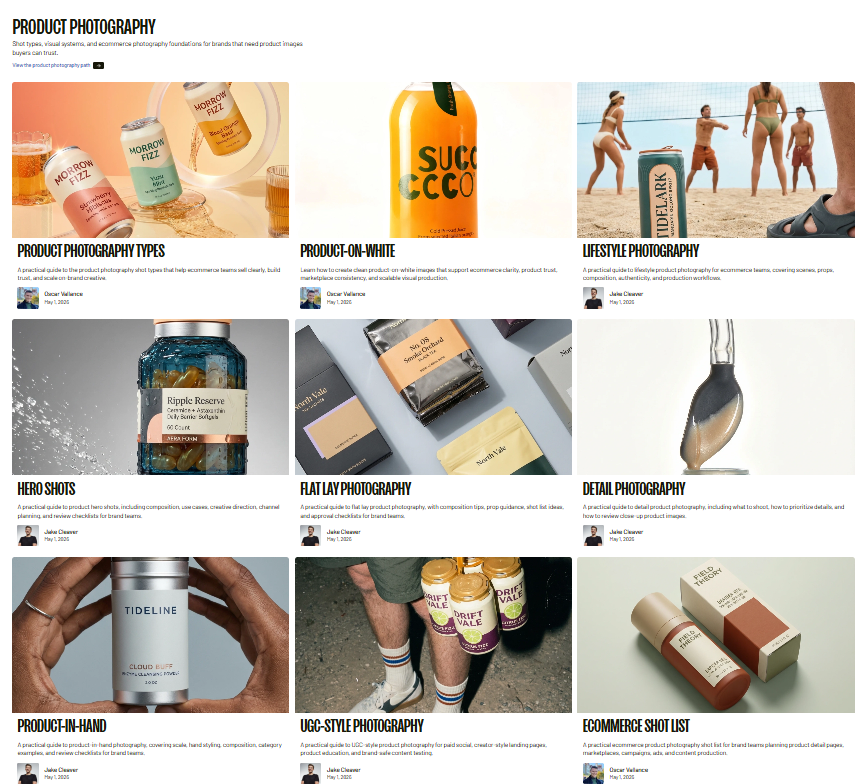
Riverflow AI is built for on-brand product photography, edits, video, and ad variations. Its workflows split into three main paths. Photoshoots keep one commercial product accurate inside a generated scene. Editor makes precise changes to an existing asset. Batch applies the same change across many assets. Choosing the right starting point matters more than writing a long prompt.
If you want the full picture of what the platform does, including features, plans, and alternatives, see our RiverFlow AI pricing, features and alternatives review.
Ready to test the workflow? Get 20% off Riverflow AI here and apply the discount before you choose a plan.
Good product references matter more than attractive scenes
Riverflow lets you add products by hand or import a catalog from Shopify or WooCommerce. Its setup guide recommends clear, high-resolution references, and real product photos from several angles where possible. The better the reference, the less you pay to fix shape, label, and material errors later.
Before you start, check your source images. Can a reviewer clearly see the variant, read the front label, and spot the finish? If not, improve the reference first. Trying to recover missing detail through repeated generations costs more.
Scenes give direction, not identical templates
Riverflow Scenes set composition, surfaces, lighting, and surroundings. They guide the output rather than guaranteeing an identical arrangement every time. When you need the same change applied to many existing assets, Batch is the better fit.
Choose scene-led generation when variety is welcome, such as exploring several lifestyle treatments. Choose a controlled adaptation workflow when you need consistency across a product line.
Riverflow AI pricing: what you will actually pay
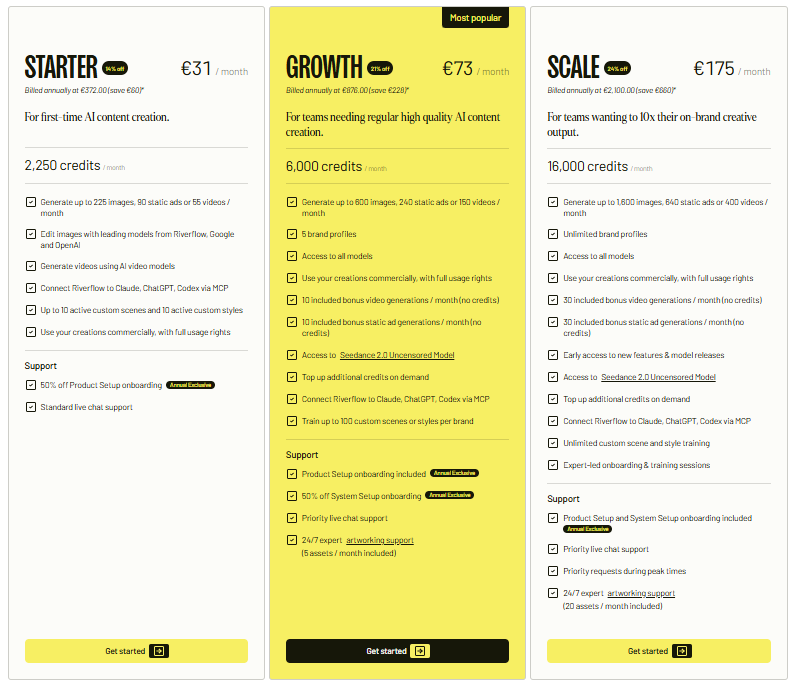
Riverflow changed its plans in September 2026. The Starter plan is gone, and new customers now choose between Growth, Scale, Business, and Enterprise. Prices below are in USD, exclude VAT and sales tax, and were current when we wrote this article.
| Plan | Monthly price | Annual price (billed upfront) | Monthly credits | Approximate images at base rate* |
|---|---|---|---|---|
| Growth | $99 | $950 | 6,000 | About 600 |
| Scale | $249 | $2,244 | 16,000 | About 1,600 |
| Business | $999 | $8,988 | 70,000 | About 7,000 |
| Enterprise | Custom | Custom | Custom | Custom |
*At base rates, one image costs 10 credits, so credit allowance ÷ 10 gives a rough image count. Actual usage varies with settings, model, and output type. Image counts describe generation capacity, not approved listings.
Credit use varies by workflow and settings, so check the estimate Riverflow shows before running a large job. Its billing guide also explains that a technically failed generation returns its credits, while a finished result that misses your standards does not.
Get the discount: Claim 20% off Riverflow AI through this link. Confirm that the discount appears at checkout on the plan and billing period you chose.
Compare the amount you are actually charged, not just a monthly equivalent. An annual plan creates an upfront commitment even when it is shown per month.
A worked example of cost per completed listing
Here is a hypothetical retailer preparing 40 listings, each needing three approved images. These are planning assumptions, not performance claims. Replace them with your own measured numbers before making a buying decision.
The retailer needs 120 finished images and generates 240 candidates. It spends two hours preparing source assets and four hours checking and fixing outputs. Labor is valued at $30 per hour, and $99 of software spend is allocated to the project.
| Cost component | Calculation | Project cost |
|---|---|---|
| Software allocation | Assumed project allocation | $99 |
| Source preparation | 2 hours × $30 | $60 |
| Review and corrections | 4 hours × $30 | $120 |
| Additional credits or services | None assumed | $0 |
| Total | Software plus labor | $279 |
| Cost per completed listing | $279 ÷ 40 | $6.98 |
The subscription-only figure is about $2.48 per listing. Including labor brings it to about $6.98. If review takes eight hours instead of four, the total rises to $399, or about $9.98 per listing. That difference is why product accuracy and a clear approval process matter as much as the subscription price.
Base your forecast on completed work. If you pay for a month but finish only ten listings, spread that month's relevant spend across those ten. Build a forecast around your release calendar, not the maximum output a plan could produce.
Using mockups to approve direction before production

AI product photography mockups can reduce costs when they help a team agree on visual direction before committing to a larger asset set. Use them to test composition, background, and campaign treatment, then move forward only with directions that meet the brief.
A mockup works as a decision tool. A buyer, designer, and ecommerce manager can review the same proposed scene before anyone builds the full set. That gives the team a chance to reject weak ideas while the project is still small.
Useful applications include:
- Creative approval: compare a few clearly different treatments before producing every SKU.
- Campaign planning: check whether the setting leaves room for a headline or promo layout.
- Catalog consistency: approve one visual system before extending it across a product line.
- Production triage: find products that need better references or specialist photography before scaling.
Keep concept approval separate from product-accuracy approval. A mockup can have the right mood while still showing the wrong label text or an unrealistic material finish.
Building a catalog workflow around Riverflow

For a wholesale or large catalog, start with a repeatable pattern rather than volume. Define the output spec, group products by visual problem, and prove one production pattern on a small sample before scaling.
Riverflow Batch supports repeatable tasks such as product swaps, artwork updates, image cleanup, and format changes. Split very different inputs into smaller groups so each job has one clear instruction. Shiny bottles and soft fabric accessories, for example, usually need different instructions and review criteria.
Use this pilot sequence:
- Choose a sample group. Include one easy product and one harder variant, not just your most photogenic item.
- Define the outputs. Specify image count, framing, background, and intended placement.
- Prepare references. Check variant identity, clarity, artwork, and relevant angles.
- Run a small test. Review the credit estimate before committing to the full job.
- Review and revise. Fix the instruction or reference problem before increasing volume.
- Scale and audit. Keep checking outputs against the same acceptance criteria.
For product swaps, check SKU identity, proportions, artwork, perspective, shadows, and any unwanted scene changes. Those checks belong in every batch, not just the first one.
Riverflow folders help keep test outputs separate from publish-ready assets. Use a folder for approved outputs that only holds assets that passed your checks. Name files by SKU and intended channel so handoffs are clear.
For more on how the platform handles team workflows, see our RiverFlow AI overview.
Quality control protects your margins
Set approval criteria before generating anything. Review each image against the real product, not your memory of it. A convincing scene is not enough if a shopper would receive something visibly different.
Use this checklist for every listing set:
- Identity: correct SKU, size, color, flavor, and packaging version.
- Geometry: accurate silhouette, proportions, closures, seams, and visible parts.
- Artwork: correct logo, readable required text, and no invented claims or symbols.
- Materials: credible texture, transparency, shine, and finish.
- Context: realistic scale, believable contact points, and no accessories that aren't included.
- Delivery: required crop, resolution, background, and file format for the channel.
Riverflow includes a Fix product details workflow for problems with labels, logos, artwork, packaging shape, materials, and color. Use the targeted fix for the specific flaw instead of regenerating the whole image again and again.
During the pilot, set a correction limit. If an asset keeps failing the same check, pause and improve its references, or send it to a specialist workflow. The goal is accurate assets at a sensible total cost, not forcing every product through AI.
Riverflow's FAQ allows generated images in commercial work such as ecommerce and marketing, but it excludes selling generated images as standalone stock assets. Check the current terms for your intended use.
Free options and how to compare tools

Riverflow has no free tier, so the practical way to test it is the pilot described above. If you want to compare it with other options, our best AI tools for ecommerce product photography guide covers the field, and our top AI ad generators for 2026 roundup covers ad creative.
Compare tools with the same products, outputs, and acceptance rules. Ask whether a review shows source references, rejected outputs, and correction time, not just attractive final images.
| Criterion | Evidence to collect |
|---|---|
| Product fidelity | Side-by-side review against your real references |
| Production efficiency | Total hands-on minutes per completed listing |
| Repeat use | Results across several variants and product families |
| Cost control | Actual credits, retries, and extra charges |
| Process fit | Clear approval, export, and handoff steps |
If your work leans more toward ad creative than product photos, compare the options directly: RiverFlow AI vs Canva covers design-led workflows, while RiverFlow AI vs Claude and RiverFlow AI vs ChatGPT cover AI-assistant workflows.
When a studio or hybrid approach makes more sense
If you are considering a studio for AI-enhanced product photography, ask for a workflow plan, not a single image price. Identify which assets need real capture, which can use generated scenes, and who signs off on product accuracy. Request an itemized scope covering references, fixes, output formats, and revision limits.
A hybrid approach often works best when exact product proof matters more than creative variety. Commission solid source photography for hero shots, then use Riverflow for lifestyle and campaign assets. Compare the combined cost against fully commissioned production and an all-internal AI workflow.
Hard products need specialist review. Clear materials, intricate mechanisms, detailed textiles, and unusual packaging need acceptance criteria tuned to their specific risks.
Start with one measurable pilot
The right buying decision starts with a small, representative job. Choose the listing requirements, prepare references, track spend and time, and count only approved outputs. Then compare the result with your current process on the same scope.
Riverflow AI is worth evaluating as a structured production workflow, not only as a source of cheap generations. Whether it pays off for your business depends on whether the full process produces accurate, usable assets with manageable review effort.
Start your Riverflow AI pilot with 20% off.
Frequently asked questions
Why is cost per generated image a weak way to budget AI product photography?
It ignores the work needed to turn generations into approved assets. A useful model includes the subscription share, extra credits, source prep, rejected outputs, fix time, and review. Divide total spend by completed listings, because only approved assets create value.
What should I prepare before a Riverflow AI pilot?
Define the outputs you need, prepare clear product references, choose a representative product group, and set acceptance criteria before generating anything. Track approved images, rejected candidates, credits, correction time, and completed listings.
When should I use Photoshoots, Editor, or Batch?
Use Photoshoots when one commercial product must stay accurate in a generated scene. Use Editor for precise changes to an existing asset. Use Batch for repeatable work across many assets, such as product swaps, artwork updates, cleanup, or format changes.
Can AI product mockups replace quality control?
No. Mockups help teams approve visual direction early. They can still show wrong label text, materials, scale, or packaging, so product-accuracy checks must stay separate.
When is a studio or hybrid workflow better?
When exact product proof, hard materials, detailed parts, or unusual packaging create accuracy risks. Combine dependable source photography with AI-generated scenes for the assets where creative variety matters most.
Is there a free version of Riverflow AI?
Riverflow has no published free tier. New subscribers can use the 20% discount link on any plan, and it's worth confirming the discount at checkout before you commit.